
How to Fix QuickBooks Error 324: Account Not Found
The specific QuickBooks error 324 with message “We can’t find this account at your bank,” generally occurs when there’s a mismatch between your bank’s website and QuickBooks settings. With this, your QuickBooks Online is unable to find the account that you’re trying to download transactions from. We’re going to walk through the main factors causing this error and simple steps to fix it.
Brief Overview of QuickBooks Error Code 324
| Parameter | Details |
| Error Name | QuickBooks Error 324 |
| Error Code | 324 |
| Error Message | “Error 324: QuickBooks was unable to locate the account information for the account you selected.” |
| Description | Occurs when QuickBooks cannot locate the bank account or connect to the bank website |
| Category | Banking / Connectivity Error |
| Common Causes | Bank server change, incorrect login, inactive account |
| Affected Versions | QuickBooks Online & Desktop |
| Quick Fix | Refresh bank connection & verify credentials |
Signs to Watch for Error 324 in QuickBooks
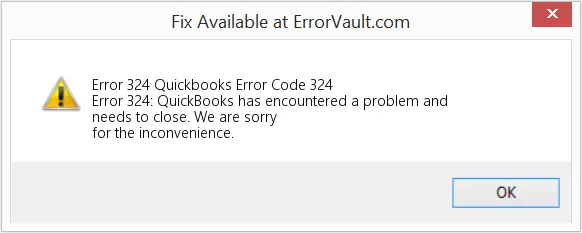
- “Error 324: QuickBooks can’t find your account on the bank’s website.”
- Bank feeds fail to update or sync
- Missing or disconnected bank accounts
- Repeated login prompts
- Transactions not downloading
Recommended Article: How to Fix QuickBooks Error 1327 | Invalid Drive Error
What Causes QuickBooks Banking Error 324?
1. Changes to bank website
Banks frequently update their websites for security upgrades or redesigns. But QuickBooks still tries to connect using the old system, which results in error 324.
2. Incorrect Login Credentials
Using incorrect username or password can cause error code 324 in QuickBooks online. When QuickBooks attempts to sync using the invalid credentials, the bank’s server denies the request, bringing an error message “Account Not Found”.
3. Account Mismatch in QuickBooks
When QuickBooks users link any wrong account, duplicate the same account, or map a different number for their bank account, it can bring error code 324. It’s because this minor mistake can create a discrepancy between QuickBooks and the bank server.
4. Temporary Bank Server Downs
Often, banks experience downtime due to maintenance updates, server overload, and security patches. During this time, QuickBooks cannot retrieve data even if everything is correct on your end, and may display QuickBooks online error 324. During this time, QuickBooks cannot retrieve data even if everything is correct on your end.
Step By Step Methods To Fix QuickBooks Bank Error 324
QuickBooks Error 324 is a banking connectivity issue that results in data corruption, bank feed disruption, and much more. Carefully, perform the stepwise methods below to fix this problem.
1. Fix Incorrect Bank Login Credentials
One of the most common reasons for QuickBooks error code 324 is incorrect or outdated bank login details. Let’s fix it using the steps below:
- Log in directly to your bank’s official website using a browser.
- Make sure that your username and password are correct.
- Try signing-in, and if login fails, try to reset your password with the bank immediately.
- Open QuickBooks and update the new credentials in the bank settings
- Try refreshing the bank feed again.
2. Refresh Bank Feed Connection
An outdated or temporarily unstable connection between QuickBooks and your bank is also a reason for facing QuickBooks online banking error 324. In such cases, QuickBooks cannot pull fresh transaction data, even if your login details are correct. Refreshing the bank connection helps re-establish communication with the bank server.
- Login to your QuickBooks Online and go to the Banking section.
- Select the account showing Error 324.
- Click on the Update or Refresh option.
- Allow QuickBooks to re-sync the bank data.
- Wait for the process to complete and check if the error is resolved.
Read More: Fix QuickBooks Error 6123 When Opening a Company File
3. Complete Bank-Side Security Requirements
Banks often introduce new security rules or verification steps to protect user accounts. If these updates are not completed, QuickBooks may get blocked from accessing your bank account. This is one of the most overlooked reasons behind Error 324.
- Sign in to your bank’s online banking portal, and check for any alerts, notifications, or security messages.
- Now, complete identity verification or approval requests.
- After this, accept updated terms and conditions if prompted.
- Ensure third-party access (like QuickBooks) is allowed.
- Finally, retry syncing your bank account in QuickBooks.
4. Reconnect the Bank Account in QuickBooks
If the connection between QuickBooks and your bank becomes corrupted or outdated, reconnect the account. It will ensure a completely new and stable connection.
- First of all, go to the Banking section in QuickBooks.
- Now, choose the account facing error 324 and disconnect the same.
- Done? Wait for a few seconds, and add the bank account again in QuickBooks.
- Enter updated login credentials.
- Carefully remap the account and save changes.
5. Verify Bank Account Status
If your bank account is inactive, closed, frozen, or restricted, QuickBooks will not be able to access it at all. In this case, the problem is not with QuickBooks but with the account itself.
- Contact your bank’s customer support.
- Ensure your bank account is active.
- Confirm your online banking access is enabled.
- Check if any restrictions are placed on third-party access.
- Once done. Now, reconnect the account in QuickBooks.
6. Wait for Temporary Bank Server Issues
Sometimes the issue is completely outside your control and happens because the bank’s servers are temporarily down or under maintenance. During such situations, QuickBooks cannot connect to retrieve data even if everything is correct on your end.
- Check if your bank’s website is properly working.
- Look for maintenance updates or server downtime notices.
- Avoid making changes in QuickBooks.
- Wait for a few hours until the bank servers are fixed.
- Once the bank system is stable and updated, try syncing QuickBooks again.
Related Articles: Troubleshooting QuickBooks Error H202: A Step-by-Step Guide
Methods to Avoid QuickBooks Error 324 For Future
1. Regularly Verify Bank Account Status
Make sure your linked bank account is active and hasn’t been closed, renamed, or removed from your bank’s website.
2. Update Bank Login Credentials Promptly
If you change your banking username or password, update the same credentials in QuickBooks to avoid connection issues.
3. Reconnect Disconnected Accounts
Periodically check if your bank feeds are connected. Reconnect the account if you notice any interruption.
4. Keep QuickBooks Updated
Always use the latest version of QuickBooks to ensure compatibility with banking servers and avoid syncing errors.
5. Avoid Manual Changes to Linked Accounts
Do not rename or delete accounts in QuickBooks that are already linked to online banking unless you properly disconnect them first.
6. Check Bank Website for Maintenance
Sometimes banks update their servers or perform maintenance. Avoid syncing during these times and try again later.
7. Review Account Mapping Settings
Ensure that the correct bank account is mapped within QuickBooks to prevent missing account errors.
8. Maintain Stable Internet Connection
A weak or unstable internet connection can interrupt bank feeds and lead to errors like 324.
These steps help reduce the chances of encountering the error and keep your banking integration running smoothly.
Wrapping Up
QuickBooks Error 324 is mainly a banking connectivity issue that occurs when QuickBooks is unable to properly locate or sync your bank account. In most cases, the error is not caused by a serious technical fault but rather by simple issues like incorrect login credentials, outdated bank connections, missing security approvals, or temporary server downtime from the bank’s side. Once you understand the exact reason behind the error, it becomes much easier to fix.
Quick FAQs
1. What is QuickBooks error 324?
QuickBooks Error 324 is a banking-related issue that occurs when QuickBooks cannot find or connect to your bank account during transaction syncing.
2. What causes QuickBooks error code 324?
Error code 324 in QuickBooks online usually occurs due to incorrect login credentials, outdated bank connections, bank security updates, inactive accounts, or temporary server issues on the bank’s side.
3. Can I fix QuickBooks online error 324 without contacting support?
Yes, you can. In most cases you can fix it yourself by updating login details, checking the bank feeds, or reconnecting the bank account.
4. Does QuickBooks Error 324 mean my bank account is closed?
Not always. It usually indicates a connection problem. However, you should still confirm with your bank whether the account is active.
5. How long does it take to fix QuickBooks Error 324?
It usually takes a few minutes to an hour depending on the cause. If the issue is due to bank server downtime, it may take longer until the bank restores services.
About The Author

Elora Havencrest
Elora Havencrest is an accomplished Accounting Writer with over 12 years of experience crafting clear, engaging, and informative financial content. She specializes in bookkeeping, tax planning, and financial analysis, making complex accounting concepts easy to understand for business owners and finance professionals.
Elora's dedication to accuracy and clarity ensures her writing not only educates but also empowers readers to make confident and informed financial decisions.