
A Comprehensive Guide To Fix QuickBooks Error 7149
QuickBooks might crash when you try to open it because of corruption. It can also be because of insufficient storage. You might find that your application crashes and you see an error on your screen.
In this article, we will explore what causes error code 7149 and how to fix it. A few methods of troubleshooting include repairing the program and correcting the corrupt Windows registry keys. We will go into details of such solutions in a while.
An Overview of Error 7149 in QBDT
The table below provides a quick view of error 7149 in QuickBooks Desktop.
| PARAMETER | DETAILS |
|---|---|
| Error Name | QuickBooks Error 7149 |
| Error Code | 7149 |
| Error Message | “QuickBooks has encountered a problem and needs to close” or similar runtime error messages. |
| Description | Error 7149 appears because of a corrupt program or damaged registry. The program might crash unexpectedly or stop working. |
| Category | Runtime / Program Error |
| Common Causes | Improper or incomplete installation, missing or modified Windows registry keys, third-party interference, or a corrupt program. |
| Affected Versions | All QuickBooks Desktop versions |
| Quick Fix | End QuickBooks processes, restart the computer, repair the program, perform a disk cleanup, and edit Windows registry keys. |
Read More: How to Fix QuickBooks Error 6177?
What is QuickBooks Error 7149?

QuickBooks error code 7149 is an error that prevents users from opening the application and carrying out day-to-day operations.
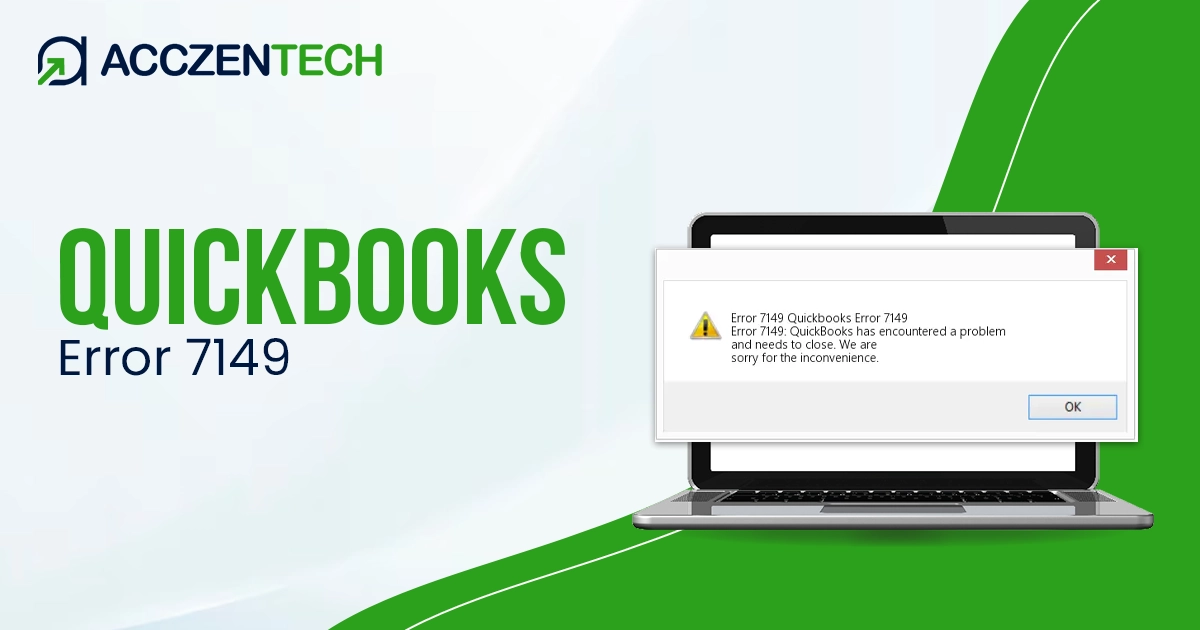
The error is accompanied by the following message, which you might see on your screen:
“Error 7149: QuickBooks has encountered a problem and needs to shut down. We are sorry for the inconvenience.”
Let us first understand what leads to the error.
Potential Reasons for Error Code 7149 in QuickBooks
Here are all the potential factors that can lead to the QB error 7149:
- Installation might be incomplete or improper, which is why the program doesn’t function properly
- There is a corruption in Windows registry keys, or they have been modified
- A virus or malware has affected the system
- An antivirus or security software is interfering with the program and is the reason why the program crashes or freezes.
- Crucial components or files might have been deleted or modified
- The QuickBooks files downloaded are damaged
How to Troubleshoot QuickBooks Error 7149 in 4 Steps
It will take a multi-step approach to address QuickBooks error 7149. This is because there are many aspects involved, and thus we will need to check all of them.
1. End QB from the Task Manager
You might need to restart the QB program properly. Closing the application traditionally might not work. You can close it from the Task Manager.
- Press the Ctrl + Shift + Esc keys to fetch Task Manager.
- Find the QB process, right-click it, and choose End Task.
You can do the same for background processes that you don’t need, so that they don’t interfere with QB. Now, restart your QB application.
Restart Your Computer
Something that sometimes might surprisingly sort the situation is a restart. Restart your computer. This ends many processes and starts them again, getting rid of closed ends and often addressing technical glitches.
More Topics: QuickBooks Error 6150: Causes and Solutions
2. Repair QuickBooks Installation
The QuickBooks program can become corrupt over time. Fortunately, it is easy to repair it using QuickBooks Tool Hub.
- First, download the latest version of QuickBooks Tool Hub. You can find it on the official Intuit site.
- Launch the setup file you downloaded and follow the on-screen instructions to install it.
- Now, open the Tool Hub and access the Installation Issues tab
- Click on the green button for QuickBooks Install Diagnostic Tool
- Give the tool a few minutes to show up on your screen and start running
- The tool might take around 10 to 15 minutes to repair your program. Once it is done, you will receive a confirmation message on your screen.
Restart your computer and check if the QuickBooks error 7149 you were facing earlier is resolved.
3. Fix Windows Registry Keys
There might be issues with Windows registry keys, such that they might have been modified or become corrupt. You can address this in the following manner:
- Launch the Start menu and open Run
- In the run box, type regedit and hit Enter or choose OK
- You will now see the Registry Editor Window
- You will now be able to go through the installed application and find the keys that belong to it
- Look for HKEY_CURRENT_USER and select Software
- Find the keys of the previously uninstalled software and delete them now
- Make sure you delete duplicate entries in registry keys that correspond to software that has already been uninstalled
- Head to This PC,
- Now, go to HKEY_LOCAL_ MACHINE.
- Choose Software, and then Microsoft.
- Now, click on Windows.
- Inside the Registry Editor, choose Current Version
- Select Run
You will see a list of the executable files that appear during startup. You can get rid of the programs you do not require from the list that appears on the launch menu.
4. Perform a Disc Cleanup
There might be insufficient storage on your computer for QuickBooks to run well. If you suspect that your computer is running low on storage, you can perform a disc cleanup in the following manner:
- Press Ctrl + E keys to fetch File Explorer
- Navigate to the This PC folder
- Right-click Local Dive C
- Select Properties and navigate to the General tab
- Click Disk Cleanup
Now, launch the disk cleanup, and once it is done, restart your computer. However, if you face QuickBooks error 7149 again, you might need to reinstall your QuickBooks Desktop application.
Recommended Reading: How to Resolve QuickBooks Error 3180?
Final Words
QuickBooks error 7149 can be the reason why your program becomes unresponsive or crashes unexpectedly. It stems from a corrupt program, incomplete installation, damaged or modified Windows registry keys. Sometimes, a simple restart might address the situation, while other times, you might need to conduct a comprehensive troubleshooting. The steps above should help you fix the error and resume your accounting operations.
Frequently Asked Questions
-
What is the error code 7149 in QuickBooks?
QuickBooks might sometimes crash unexpectedly or stop working and show an error 7149 on your screen. It can be because of malware infections, improper shutdowns, or damaged Windows registry keys.
-
How do you troubleshoot an update error in QuickBooks?
If you find that QuickBooks cannot install updates, check the internet connection and settings. Make sure QuickBooks has access to the Firewall port it requires. Also, verify that an antivirus doesn’t interfere with QB update processes.
-
How can I fix QuickBooks error code 7149?
To resolve QuickBooks error code 7149, end all QB processes and restart the computer. Repair the QB program, and repair Windows registry keys. Moreover, perform a disc cleanup.
About The Author

Elora Havencrest
Elora Havencrest is an accomplished Accounting Writer with over 12 years of experience crafting clear, engaging, and informative financial content. She specializes in bookkeeping, tax planning, and financial analysis, making complex accounting concepts easy to understand for business owners and finance professionals.
Elora's dedication to accuracy and clarity ensures her writing not only educates but also empowers readers to make confident and informed financial decisions.