
QuickBooks Desktop Unrecoverable Error: How to Fix Sudden Crashes
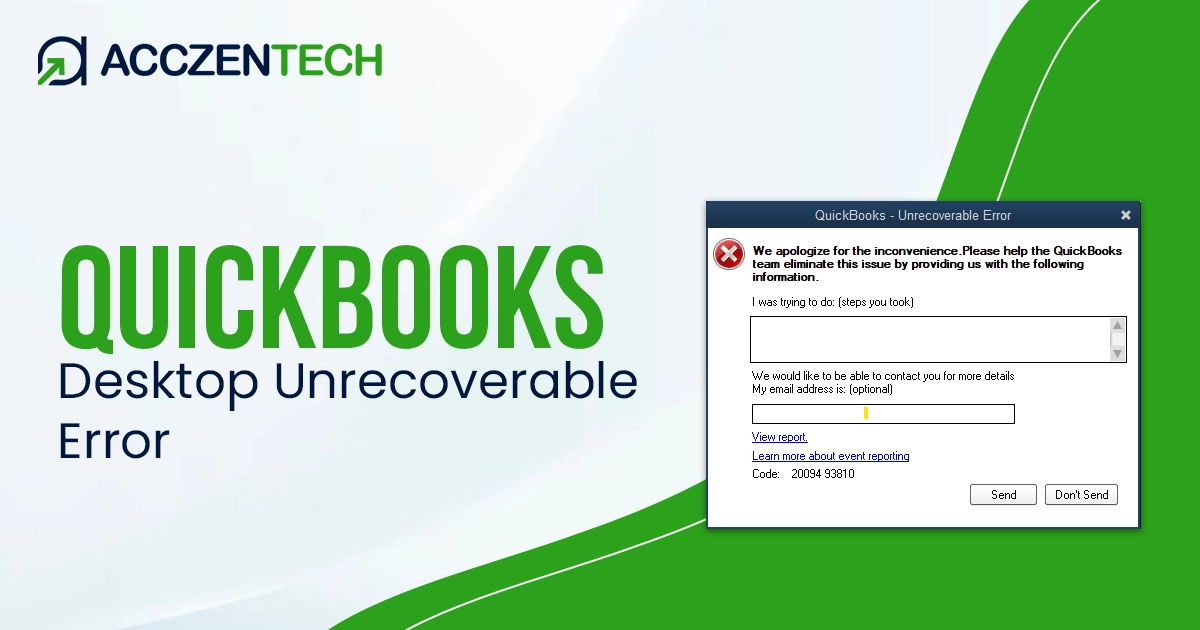
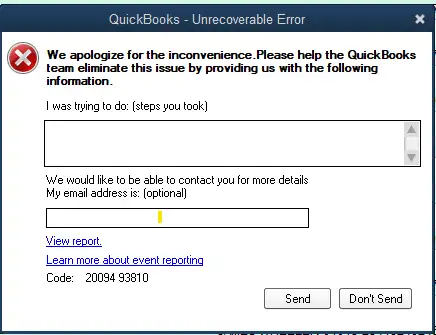
The QuickBooks Desktop unrecoverable error is one of the most frustrating issues users can face while running the Desktop application. It shows up with a message containing random numeric codes and causes QuickBooks to freeze, crash, or close unexpectedly. You can expect to run into it while opening the company file, saving transactions, emailing forms, or performing routine accounting tasks.
More often than not, the problem finds its connection to corrupt data, damaged program files, or system-related conflicts. The good news is that there are several effective ways you can fix the unrecoverable error and restore smooth QuickBooks performance.
A Quick Overview of Unrecoverable Errors
| Parameter | Details |
|---|---|
| Error Name | QuickBooks Desktop Unrecoverable Error |
| Error Code | Varies (Example: 00000 14775, 00000 15204) |
| Error Message | “QuickBooks has encountered a problem and needs to close” |
| Description | An error message appears when QuickBooks crashes or stops responding during operations |
| Category | Program/Data File Error |
| Common Causes | Corrupted company file, damaged QuickBooks components, system conflicts |
| Affected Versions | All versions of QuickBooks Desktop |
| Quick Fix | Open QuickBooks without loading Windows |
What You Might Experience During an Unrecoverable Error
Users generally observe several warning signs before the unrecoverable error starts interrupting work regularly, for instance:
- QuickBooks crashes immediately after opening
- The company file fails to load properly
- System freezes while saving transactions
- An error appears while printing invoices or reports
- QB program closes unexpectedly without warning
- Multi-user mode becomes unstable or disconnected
These things usually indicate deeper problems related to the company file, Windows permissions, or damaged QuickBooks components.
View More Topics: QuickBooks Error 1328: Causes, Symptoms, and Complete Fix Guide
Everything That Leads to QuickBooks Desktop Unrecoverable Error
QuickBooks unrecoverable errors can occur because of a handful of reasons. It will prove helpful in understanding the root cause when choosing the right set of troubleshooting methods.
- If the company file becomes damaged, QuickBooks may fail to process data correctly. This often leads to crashes when opening records, reports, or transactions.
- Incomplete updates or corrupted installation files can affect essential QuickBooks functions and lead to sudden application shutdowns.
- QuickBooks needs administrator permissions to access files and services. Restricted access can interrupt operations and cause unrecoverable errors.
- In a network environment, unstable connectivity or server communication failures may lead to random QuickBooks crashes.
- Antivirus software, backup tools, or firewall programs may interfere with QuickBooks processes and cause instability.
- QuickBooks depends on Microsoft .NET Framework, MSXML, and Visual C++ components. Damage to these components may affect software performance.
Top Solutions to Unrecoverable Errors in QuickBooks Desktop
1. Open QuickBooks Without the Company File
Sometimes the issue is related to the company file rather than the QuickBooks application itself. Opening QuickBooks without loading the file helps identify the source of the problem.
- Press and hold the Ctrl key on your keyboard
- Double-click the QuickBooks Desktop icon
- Continue holding Ctrl until the No Company Open window appears
- Release the key and select your company file manually
- Try opening the file again
This prevents QB from automatically loading damaged windows or transactions during startup.
2. Use QuickBooks Tool Hub and File Doctor
QuickBooks Tool Hub includes utilities designed specifically to repair company file corruption and program issues.
- Download QuickBooks Tool Hub from the official Intuit website
- Install and launch the program
- Select Company File Issues
- Click Run QuickBooks File Doctor
- Choose your company file from the list
- Start the scan and wait until the process completes
File Doctor repairs data corruption, network issues, and damaged company file structures automatically.
Related Article: QuickBooks Error 15240 Explained: Fix Update Problems Quickly
3. Rename the QBWUSER.INI File
The QBWUSER.INI file stores QuickBooks user preferences and startup settings. If this file becomes corrupted, QuickBooks may crash repeatedly.
- Open the QuickBooks installation folder
- Locate the file named QBWUSER.INI
- Right-click and select Rename
- Add .old at the end of the file name
- Save changes and reopen QuickBooks
QB creates a fresh QBWUSER.INI file with clean settings during startup.
4. Repair QuickBooks Desktop Installation
Damaged program files can prevent QuickBooks from functioning properly.
- Press Windows + R and type appwiz.cpl
- Find QuickBooks Desktop in the installed programs list
- Click Uninstall/Change and then tap on the Repair option
- Follow the on-screen instructions carefully
- Restart the computer after the repair finishes
Repairing QuickBooks restores damaged components without affecting company data.
5. Update QuickBooks to the Latest Release
Outdated QuickBooks versions may contain bugs that cause instability and crashes.
- Open QuickBooks Desktop
- Go to Help, followed by Update QuickBooks Desktop
- Click Update Now and then Get Updates
- Restart QuickBooks after downloading updates
- Install updates when prompted
Updates include performance improvements, security patches, and bug fixes that reduce unrecoverable errors.
6. Create a New Windows Admin User
A damaged Windows user profile can interfere with QuickBooks permissions and functionality.
- Open the Control Panel and then User Accounts
- Select Manage another account
- Click Add a new user
- Create a new administrator account
- Log out and sign in with the new profile
- Open QuickBooks and test performance
A fresh Windows profile eliminates permission conflicts and corrupted user settings.
7. Move the Company File to a Different Folder
Sometimes folder permissions or network paths can result in QB crashes.
- Locate the company file (.QBW)
- Copy the file to the desktop or another folder
- Open QuickBooks Desktop
- Browse to the new location and open the file
- Test QuickBooks operations again
Moving the file removes folder-related restrictions and simplifies file access.
Prevention Tips to Avoid QuickBooks Desktop Unrecoverable Error
- New updates include stability improvements and bug fixes that help prevent sudden crashes and unrecoverable errors.
- Regular backups protect your financial data and allow quick recovery if the company file becomes corrupted.
- Unexpected power failures or forced shutdowns can damage QuickBooks files and lead to data corruption.
- Security programs should allow QuickBooks services and folders to operate without unnecessary restrictions.
- These utilities help detect and repair minor data issues before they become major unrecoverable errors.
- Stable server communication reduces the chances of QuickBooks crashing during shared file access.
Learn More: A Troubleshooting Guide for QuickBooks Error Code 6000 77
Final Words
The QuickBooks Desktop unrecoverable error can interrupt your crucial accounting tasks and make the software unstable. However, you will find that the problem is usually manageable with the correct troubleshooting methods. Some of these are repairing the company file, updating QuickBooks, fixing permissions, and using QuickBooks Tool Hub. By carefully following the solutions above, you can restore stable performance in QuickBooks Desktop.
Frequently Asked Questions
-
What is the QB Desktop unrecoverable error?
This error can appear when QuickBooks suddenly crashes or stops responding during operations. The common culprits are damaged files, corrupted settings, or system conflicts.
-
Can a corrupt company file cause unrecoverable errors?
Yes, damaged company files are one of the most common reasons behind this issue. Running File Doctor or Rebuild Data utilities can often help you repair the file successfully.
-
Why does QuickBooks crash when opening a company file?
QuickBooks may crash because of corrupted startup settings, damaged transactions, or restricted permissions affecting the company file.
-
Is QuickBooks Tool Hub useful for fixing unrecoverable errors?
Yes, QuickBooks Tool Hub includes File Doctor and Quick Fix tools that help repair company files and program-related issues automatically.
-
What is the fastest way to fix QuickBooks unrecoverable errors?
Opening QuickBooks while holding the Ctrl key is often the quickest troubleshooting step. It prevents problematic windows or transactions from loading automatically.
About The Author

Elora Havencrest
Elora Havencrest is an accomplished Accounting Writer with over 12 years of experience crafting clear, engaging, and informative financial content. She specializes in bookkeeping, tax planning, and financial analysis, making complex accounting concepts easy to understand for business owners and finance professionals.
Elora's dedication to accuracy and clarity ensures her writing not only educates but also empowers readers to make confident and informed financial decisions.
Recent Posts
-

How to Fix QuickBooks Error 15225 Payroll Download Errors Fast?
-
QuickBooks Error 15227: Easy Solutions to Resolve Update Issues
-
QuickBooks Tool Hub: Download, Install & Advanced Error Fixing Tool
-
QuickBooks Desktop Unrecoverable Error: How to Fix Sudden Crashes
-
How to Fix QuickBooks Error 6129 When Opening a Company File?