

QuickBooks Tool Hub: Download, Install & Advanced Error Fixing Tool

Even though QuickBooks Desktop is advanced accounting software, like any other, it can occasionally encounter technical issues. These issues can include company file errors, connectivity issues, installation issues, PDF and printing errors, and others that can hamper your workflow and affect productivity.
To help users resolve these issues more efficiently, Intuit introduced QuickBooks Tool Hub—a centralized utility that combines several troubleshooting tools into a single application. Instead of searching for multiple repair programs, users can access a variety of diagnostic and recovery tools from one convenient location.
In this guide, you’ll learn what QuickBooks Tool Hub is, how to download and install it, which tools to use for specific QuickBooks issues, and how you can resolve common issues and errors for a seamless workflow.
What is QuickBooks Tool Hub?
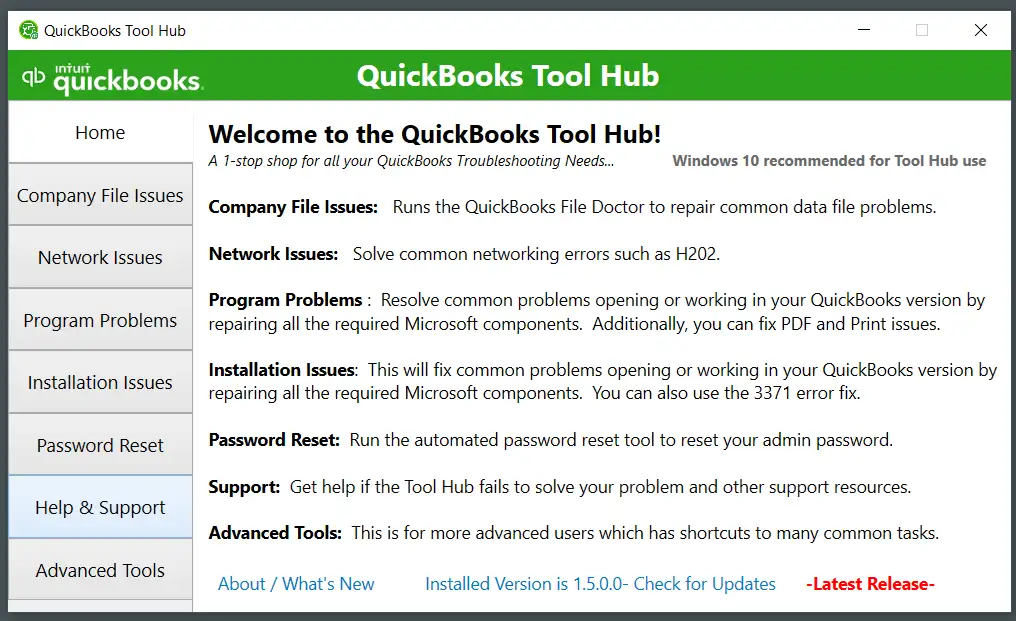
QuickBooks Tool Hub is a centralized free troubleshooting utility hub designed by Intuit for QuickBooks Desktop users. It is a collection of tools that can help you resolve multiple technical issues affecting the software.
This way, you don’t have to download multiple software programs and run them separately; users can access tools for company file repair, network troubleshooting, installation fixes, password resets, and PDF or printing issues from a single dashboard.
Whether you’re experiencing company file damage, network-related errors, startup issues, or installation failures, QuickBooks Tool Hub provides a practical first step for troubleshooting and resolving many common QuickBooks Desktop problems.
Overview of QuickBooks Tool Hub: Features, Uses, and Troubleshooting Utility
| Parameter | Details |
| Tool Name | QuickBooks Tool Hub |
| Latest Working Version | Latest official release (commonly v1.6.x or newer depending on Intuit updates) |
| Where to Install | Download only from official Intuit website and install on Windows desktop/laptop system |
| System Requirements | Windows 10/11, .NET Framework enabled, 4GB RAM recommended, QuickBooks Desktop installed, admin rights required |
| Supported Versions | QuickBooks Pro, Premier, Enterprise (All Desktop editions) |
| Types of Errors Solved | Company file errors (6000 series), H-series network errors (H202, H505), installation errors (1603, 1904), update failures, PDF/print issues, program crashes, and login problems |
| Main Components Inside Tool Hub | Company File Issues, Network Issues, Program Problems, Installation Issues, Password Reset, QuickBooks File Doctor, Clean Install Tool, Advanced Diagnostics |
| When to Use Tool Hub | When QuickBooks won’t open, crashes frequently, shows network errors in multi-user mode, update failures occur, or company file cannot be accessed |
| Requirements for Using Tool Hub | Administrator access, stable internet connection, antivirus temporarily disabled if blocking installation, latest QuickBooks Desktop version installed |
| Installation Steps | Download setup file → Install Tool Hub → Accept license terms → Open Tool Hub → Run relevant repair tool |
| Common Use Scenarios | Fixing QuickBooks company file corruption issues
Resolving H202/H505 network errors Repairing installation errors Fixing update failures Resolving login and password issues Troubleshooting program crashes or not responding issues Repairing damaged QuickBooks components Fixing PDF and printing issues Resolving multi-user mode connectivity problems Performing clean install when QuickBooks is corrupted Running Quick Fix My Program to restart broken processes Diagnosing and repairing data file errors Resolving Windows system conflicts affecting QuickBooks performance |
| Limitations | Windows-only tool, cannot fix severely damaged company data, and may require manual advanced troubleshooting in rare cases |
Common Errors and Issues You Can Resolve Using QuickBooks Tool Hub
QuickBooks Tool Hub helps users diagnose and fix a variety of common QuickBooks Desktop issues, including company file errors, network problems, installation issues, and update failures.
The utility lets you resolve the common company file errors such as 6XXX series errors (e.g., 6150, 6177, and 6000), multi-user and network errors such as HXXX series errors (e.g., H202 and H505), payroll errors such as PSXXX errors, update errors such as 15XXX series errors (e.g., 15101 and 15000), and installation errors like 1402.
It also helps fix damaged company files, connectivity issues, and performance-related problems using tools such as Quick Fix my Program, File Doctor, and Install Diagnostic Tool.
How to Download and Install QuickBooks Tool Hub? Step-by-Step Guide
Follow the steps below to download, install, and set up QuickBooks Tool Hub so you can quickly resolve common QuickBooks Desktop issues:
Steps to download and install QuickBooks Tool Hub
For the optimal setup, use a 64-bit version of Windows 11.
- Exit QuickBooks Desktop if it is currently running.
- Download the most recent release of the QuickBooks Tool Hub.
- Store the installer in an easy-to-access location, such as the Downloads folder or your desktop. If you have trouble locating it later, search your computer for “QuickBooksToolHub“.
- Launch the installer file, QuickBooksToolHub.exe.
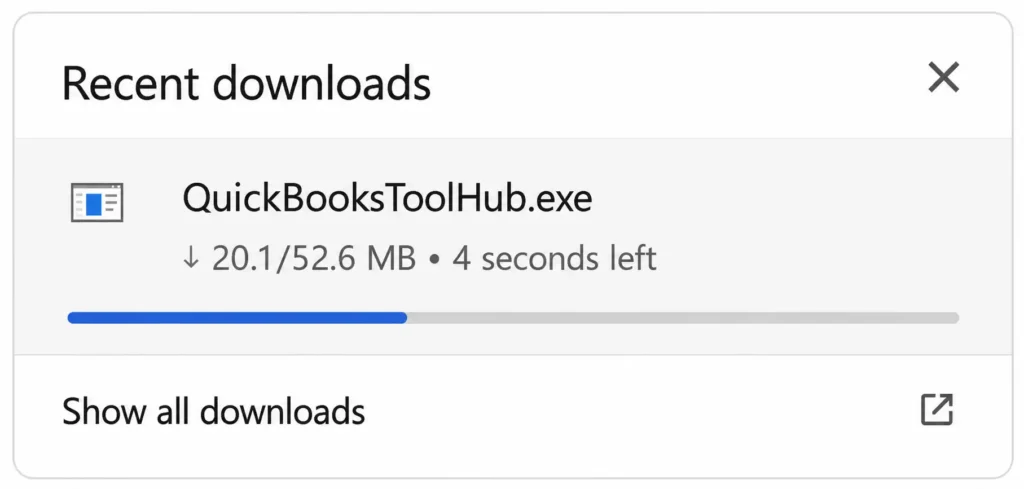
- Complete the installation by following the prompts and accepting the license terms.
- After installation is complete, open the tool by double-clicking the QuickBooks Tool Hub shortcut on your desktop.
To verify the installed version, open QuickBooks Tool Hub and navigate to the Home tab, where the version information is displayed.
Guide To Use different utilities in the QuickBooks Tool Hub
| Company File Issues | Use this section to run Quick Fix my File or QuickBooks File Doctor to troubleshoot common company files and data-related problems. If you require further help, select File Dr Help. |
| Network Issues | This tab contains tools designed to resolve network-related issues, including Error H202. These tools must be run on the server computer hosting the company file. |
| Program Problems | Access this section to fix problems encountered while opening or using QuickBooks Desktop, including PDF and printing errors. It also includes utilities that help reduce data issues in company files exceeding 1 GB in size. |
| Installation | Use this tab to troubleshoot installation and removal issues with QuickBooks Desktop, including errors such as 3371. |
| Password Reset | This section provides an automated tool for resetting the QuickBooks administrator password. |
| Help & Support | Open this tab to get support for Tool Hub-related concerns or to explore additional help resources. |
| Advanced Tools | Use this area to quickly access commonly used Windows troubleshooting tools and shortcuts that can help diagnose and resolve QuickBooks errors. |
Important: When you install a utility through the QuickBooks Tool Hub, the download runs in the background and can take approximately 2–3 minutes to finish. Leave the installation window open until the download is fully completed to ensure the tool installs and functions properly.
What to Do When QuickBooksToolHub.exe Has Been Blocked?
If your computer prevents installation, you may see a warning that “QuickBooksToolHub.exe has been blocked because it may pose a risk to your device.”
- Try downloading the QuickBooks Tool Hub using an alternative web browser.
- If a Microsoft Defender security alert appears, click More info to view additional options.
- Then select Run anyway to continue the installation.
Summing Up
To sum up, QuickBooks Tool Hub is a valuable utility that helps users quickly and efficiently diagnose and resolve common QuickBooks Desktop issues. It provides access to a variety of troubleshooting tools that can fix company file errors, network and multi-user issues, update failures, installation problems, and performance-related concerns.
If you encounter complex issues or need expert guidance, it is recommended to consult QuickBooks professionals!
Frequently Asked Questions
-
What is QuickBooks Tool Hub used for?
The QuickBooks Tool Hub is a free, all-in-one utility provided by Intuit designed to diagnose and fix common errors in QuickBooks Desktop. It serves as a central launchpad, consolidating various specialized repair tools into a single scannable, easy-to-use interface.
-
When should I use QuickBooks Tool Hub?
Use the QuickBooks Tool Hub whenever you encounter common errors, crashes, or glitches in QuickBooks Desktop. It acts as a centralized launchpad for troubleshooting various program issues.
-
How do I use QuickBooks Tool Hub to fix errors?
QuickBooks Tool Hub is a multi-purpose repair utility for fixing common installation, networking, and company file errors.
-
Do QuickBooks Online users need a Tool Hub?
No, QuickBooks Online users do not need the QuickBooks Tool Hub. The Tool Hub is an exclusive diagnostic and repair utility designed entirely for QuickBooks Desktop users running on Windows.
About The Author

Elora Havencrest
Elora Havencrest is an accomplished Accounting Writer with over 12 years of experience crafting clear, engaging, and informative financial content. She specializes in bookkeeping, tax planning, and financial analysis, making complex accounting concepts easy to understand for business owners and finance professionals.
Elora's dedication to accuracy and clarity ensures her writing not only educates but also empowers readers to make confident and informed financial decisions.
Recent Posts
-

How to Fix QuickBooks Error 15225 Payroll Download Errors Fast?
-
QuickBooks Error 15227: Easy Solutions to Resolve Update Issues
-
QuickBooks Tool Hub: Download, Install & Advanced Error Fixing Tool
-
QuickBooks Desktop Unrecoverable Error: How to Fix Sudden Crashes
-

How to Fix QuickBooks Error 6129 When Opening a Company File?