
A Troubleshooting Guide for QuickBooks Error Code 6000 77
QuickBooks Error Code 6000 77 is one of the 6XXX series errors that appears when trying to open a company file stored on the network drive. This happens when either the folder is incorrect or you don’t have enough permissions to access it.
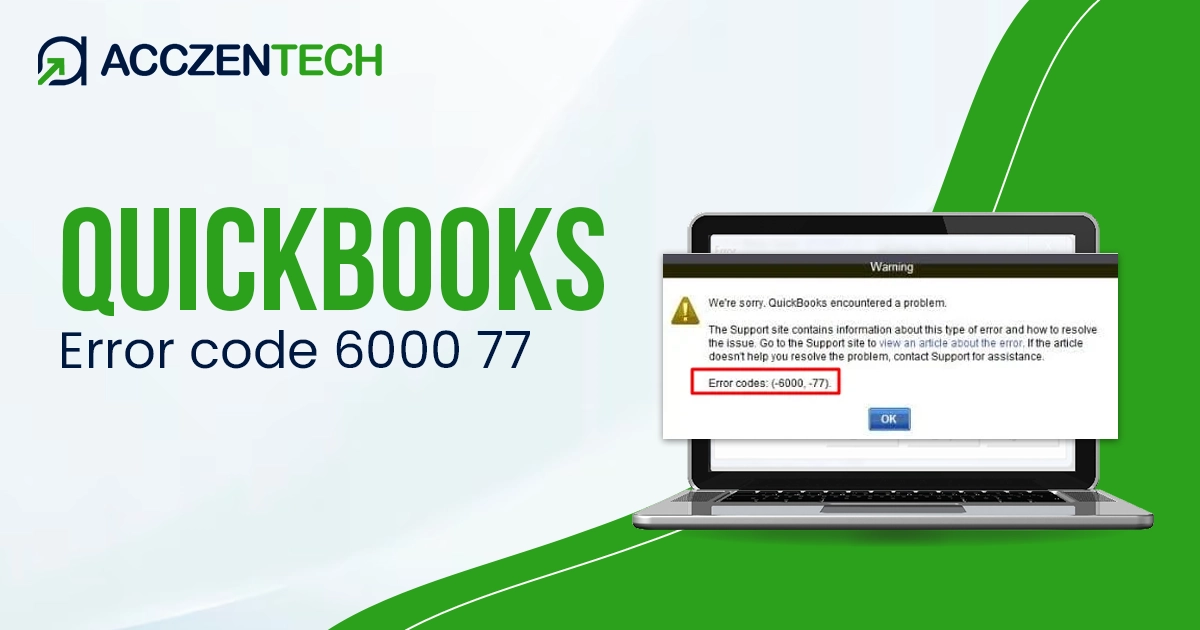
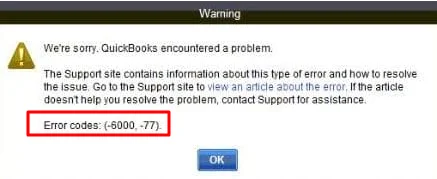
Error 6000 77 prevents users from accessing a company file that triggers a warning message on your screen, which states:
“We’re sorry. QuickBooks encountered a problem.“
If you are facing the same error, understanding its causes and applying the right troubleshooting steps can quickly restore access to your company file.
QuickBooks Error 6000 77: A Quick Summary
| Parameter | Details |
| Error Name | QuickBooks Error 6000 77 |
| Error Code | 6000, 77 |
| Error Message | “We’re sorry, QuickBooks encountered a problem when opening the company file. Error codes: (-6000, -77)” |
| Description | Occurs when QuickBooks Desktop is unable to open a company file due to incorrect file path, damaged folder, or improper network setup |
| Category | Company File / Network Error |
| Common Causes | Incorrect folder permissions, damaged company file path, hosting issues, corrupted .ND or .TLG files, or restricted access to company file location |
| Affected Versions | QuickBooks Desktop (Pro, Premier, Enterprise) |
| Quick Fix | Move company file to local drive, rename .ND/.TLG files, check folder permissions, disable hosting on all workstations except server, and run QuickBooks File Doctor |
Possible Causes of Company File Error 6000 77 in QuickBooks
Several factors can trigger QuickBooks company file error 6000 77:
- If the folder containing the company file does not have proper read/write access, QuickBooks cannot open it.
- Opening the company file through a mapped drive instead of a network path often causes access problems.
- Corrupted network data (.ND) and transaction log (.TLG) files can prevent QuickBooks from locating the company file correctly.
- Windows Firewall or antivirus software may block QuickBooks from communicating with the server.
- Saving the company file on a flash drive or external device instead of a local drive can trigger this error.
- If the folder path itself is damaged or inaccessible, QuickBooks may fail to open the file.
Related Posts: Windows Firewall is Blocking QuickBooks? Here’s What to Do
Fix QuickBooks Error Code 6000 77 When Opening Company File
This is the most important section. Follow these proven methods to resolve QuickBooks Error 6000 77.
1. Run QuickBooks File Doctor
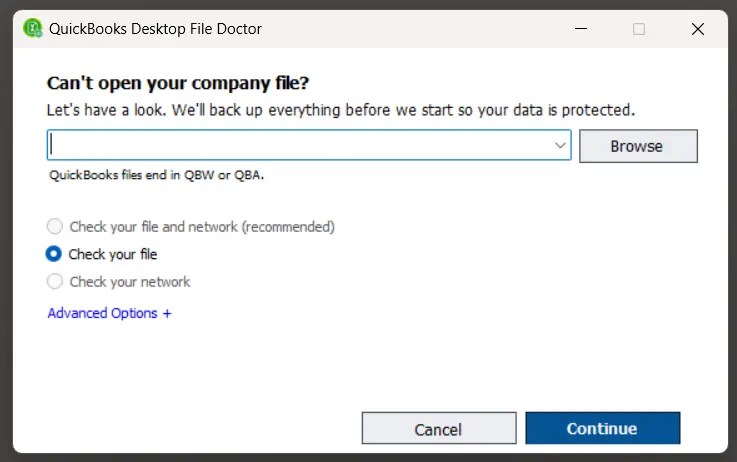
The QuickBooks File Doctor verifies the company file for possible damages and network connectivity, then runs a quick repair to them.
- Download and install QuickBooks Tool Hub.
- Now, double-click on the QB Tool Hub.
- Choose Company File Issues in the left pane.
- Click Run QuickBooks File Doctor.
- Choose your company file from the dropdown.
- Select Check your file.
- Enter the admin password and continue.
This tool can repair damaged company files and detect network issues that cause Error 6000 77. Intuit recommends File Doctor as the first troubleshooting step.
2. Rename .ND and .TLG Files
These files help QuickBooks connect to the company file in multi-user mode. If damaged, renaming them forces QuickBooks to recreate fresh versions.
- Locate the folder and then open it.
- Locate files ending with .ND and .TLG.
- Right-click each file and select Rename.
- Add .OLD at the end.
Example:
CompanyFile.qbw.nd.OLD
CompanyFile.qbw.tlg.OLD
Reopen QuickBooks and try accessing the file again. This method does not cause data loss.
3. Use UNC Path Instead of a Mapped Drive
Using a UNC path provides a direct network route to the company file. Here’s how to use UNC path:
- Open QB Desktop while pressing the Ctrl key.
- Click on Run as Administrator.
- In the No Company Open window, choose Open or Restore Company.
- Select Open a company file.
- Choose Network from the left panel.
- Navigate to the company file location using the server path.
This helps QuickBooks locate the file properly without mapped drive conflicts.
Similar Articles: QuickBooks Error 30159: Causes, Symptoms, and Proven Solutions
4. Configure Firewall and Antivirus Settings
Security software can block QuickBooks communication with the server.
- Add QuickBooks as an exception in Windows Firewall.
- Allow QuickBooks Database Server Manager access.
- Temporarily disable antivirus and test file opening.
- Ensure required QuickBooks ports are open.
If the file opens after disabling security software, firewall restrictions are likely the cause.
5. Recreate the Company File Folder
Sometimes the folder containing the QBW file becomes damaged.
- Create a new file folder and save it on the C: drive.
- Locate the old company file and open it.
- Copy the .QBW file only.
- Paste it into the new folder.
- Set proper folder permissions.
- Open QuickBooks and access the file from the new location.
This resolves path-related corruption and permission conflicts.
Prevention Tips
Consider these preventive steps to avoid such company file errors in the future and seamless functioning:
- Store company files on a local drive or stable server.
- Avoid opening files from external storage devices.
- Keep your QUickBooks up-to-date to the latest release.
- Make Windows Firewall is configured properly.
- Run QuickBooks File Doctor periodically.
- Create regular backups of the company file.
Preventive maintenance helps reduce company file access errors and improves system reliability.
Conclusion
Finally, we have reached the end of this detailed article covering possible causes and the detailed troubleshooting steps for QuickBooks error code 6000 77. Resolve the error by running QB File Doctor, renaming .ND and .TLG files, using a UNC path, or correcting firewall settings.
You May Also Like: Fix QuickBooks Error 6123 0 When Opening a Company File
Frequently Asked Questions
1. What does QuickBooks error code 6000 77 mean?
QuickBooks error code 6000 77 means the software failed to access the company file. It’s one of the 6000 series that occurs in single-user as well multi-user mode due to incorrect settings, or lack of proper permissions.
2. Can I fix Error 6000 77 without losing data?
Yes. Most solutions like renaming .ND and .TLG files or using File Doctor do not affect your company data.
3. Why does this error happen in multi-user mode?
Error 6000 77 often occurs when QuickBooks fails to communicate with the company file. This generally happens when the software does not have enough permissions or the file is damaged.
4. Is QuickBooks File Doctor safe to use?
Yes. It is an official QuickBooks tool designed to repair file damage and network issues safely without harming your data.
5. Should I move my company file from an external drive?
Yes. QuickBooks works best when the company file is stored on a local drive or properly configured network server instead of external storage.
About The Author

Elora Havencrest
Elora Havencrest is an accomplished Accounting Writer with over 12 years of experience crafting clear, engaging, and informative financial content. She specializes in bookkeeping, tax planning, and financial analysis, making complex accounting concepts easy to understand for business owners and finance professionals.
Elora's dedication to accuracy and clarity ensures her writing not only educates but also empowers readers to make confident and informed financial decisions.